

Most of our templates will download in a ZIP folder.
- What’s a ZIP Folder? A ZIP folder is a compressed file format that makes it easier to send and receive large files. It’s like bundling multiple files into one, making downloads more efficient.
- Why does Novae Makers Mart use ZIP Folders? Etsy’s system limits the number of individual files that can be uploaded to a listing, so in addition to the benefits mentioned above, utilizing ZIP Folders means we can offer an extensive variety of file options to accomodate as many fellow crafters as possible.
- How to Unzip the Folder & Access Your Files: On most computers, you can either double click the file to open or you can Right Click and select Open. If that doesn’t work or you’re unsure how to unzip the folder, please follow the instructions based on your device:
Mac
Microsoft Windows
iPhone/iPad
Android/Google
View Etsy’s Guide to Digital Downloads ▸
We’re so grateful for your support and can’t wait to see what you create! Our freebies have moved to our blog, where you’ll find a growing collection of free designs, exciting projects, and helpful how-to guides. Visit our blog and filter by “FREE Projects” to explore the current offerings.
Have your eye on other templates in our shop? Treat yourself to a discount on your next order:
- Use code M4K3R30 for 30% OFF on orders of 3+ items.
- Use code M4K3R40 for 40% OFF on orders of 5+ items.
Explore the blog, grab some freebies, and start crafting your next masterpiece today! Be sure to check back often or subscribe to get notified whenever a new freebie is posted.
-
Solid vs. Dashed Score Lines: When you download a template with folds, you might find two folder options within the download: one with solid score lines and another with dashed score lines to accommodate various cutting machines. Learn more with this helpful 2-min. video.
For Machines with Scoring Tools:
- Use the files “Solid Score” in the name.
- Upload the SVG or your preferred file type.
- Set any red lines to SCORE (they may appear black in Cricut but will show as red when selected).
- Don’t forget to attach your layers before cutting!
- Use the files with “Dashed Score” in the name.
- Upload the SVG or your preferred file type.
- The score lines in these files are already attached – begin creating!
For Complex Projects: If your project includes folds but you don’t see separate “Solid” or “Dashed Score” folders, don’t worry – the score lines are built directly into the design. For intricate projects with many layers or files, I streamlined the process by integrating score lines that are automatically cut by the blade. This keeps the upload process simple and hassle-free!
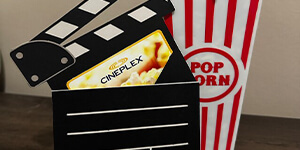
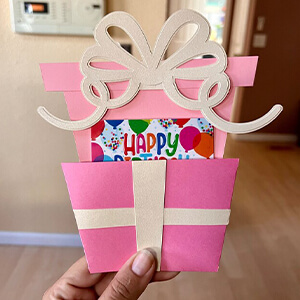
- Gift Card Holders: The yellow rectangle is there to help with sizing. A standard gift card is 3.37” by 2.125”, if you ensure the yellow rectangle is that size then all other assets will be the correct size to hold it.
- Recommended Paper: For 80% of my paper projects, I prefer using 67lb cardstock as it provides the ideal balance of sturdiness and delicacy for easy folding. However, for single or double-layer cards that require more stability, I opt for a heavier 110lb cardstock.
My preferred brand for paper is the Essentials Cardstock Paper by Recollections®. It’s available in 8.5″x11″ and 12″x12″ packs and is often on sale (Buy 1 Get 1 50% Off) at Michael’s. The array of colors it provides is also something that I adore.
While I prefer to use my go-to brand for most of my projects, I believe experimenting with different colors, weights, patterns and textured papers can lead to unique and unexpected results. So, don’t be afraid to try something new!
If you’re utilizing a laser cutting machine such as Xtool or Glowforge, we provide both SVG and PDF files to accommodate your needs. I recommend selecting the file that ends with “.svg” and uploading it to the software’s interface. Laser projects are still a new venture for us, so we appreciate your patience as we continue to expand our offerings and provide more information. Be sure to check back frequently to see what’s new!
All of our laser files are color-coded to indicate their intended machine function. Be sure to adjust your settings accordingly before starting the project:
■ Black lines indicate cuts
■ Yellow lines represent engraving
■ Red lines signify scoring
Feel free to let your imagination run wild and add or remove elements to make the project uniquely yours! You might need to rearrange the elements to fit your canvas and material.
Some of our gift card holders come with stands, to seehow the sand is assembled watch the video here.
Recommended Material: 3mm Basswood, readily available at most local craft stores and online retailers like Amazon. Personally, I prefer to buy in bulk from Amazon
Every card and gift card holder in our shop has a compatible envelope available. All of our envelopes are designed to be cut from 12″ x 12″ material. While some smaller envelopes can fit on even smaller mats or papers, I’ve ensured that none of the larger ones exceed this size for universal compatibility. See More ▸
Wondering Why They’re Sold Separately? Well, you all are such creative minds that sometimes envelopes aren’t necessary. I’ve seen our cards featured in gift baskets on sticks, hung on Christmas trees as ornaments, and even enlarged to hold sports tickets – you guys are always thinking outside the box! As a crafter and a budget-conscious individual, I’ve chosen not to increase prices to automatically include both files. Instead, to offer you the best value, our envelopes are sold individually.
The great news is, I’m mindful of the number of envelope sizes I offer and ensure future cards fit within my standard envelope library. Purchase a few sizes, and you can reuse them with multiple templates from my shop, keeping both your projects and costs versatile.